FUNCTION
SHIORI Functions

FUNCTION01
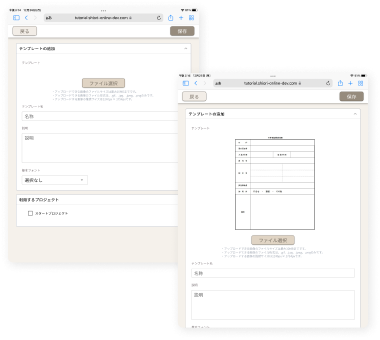
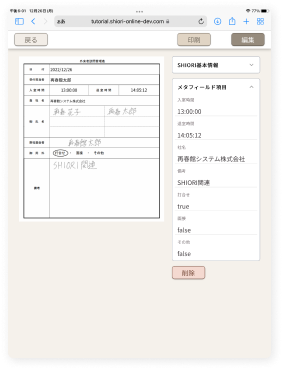
SHIORI Template
Import
You can embed digitization (AI-OCR), calendars, and checkboxes anywhere on your forms.
With text digitization and input assistance, entering data becomes even more convenient while keeping your handwritten workflow unchanged.
FUNCTION02
SHIORI Fill-In
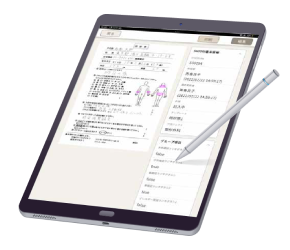
You can write directly on forms displayed on the tablet, and change the pen thickness and color as needed.
Tight spaces can easily be zoomed in on, and anything written by mistake can simply be erased.
FUNCTION03
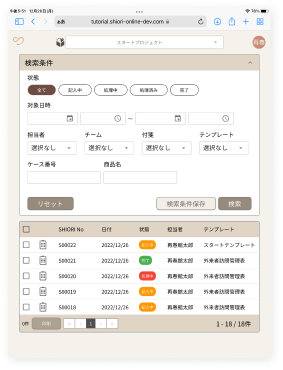
SHIORI Search
Forms can be stored and organized by department, project, or machine number, just like your current filing system.
In addition to browsing by category, you can also search, making it easy to find any form you need.
FUNCTION04
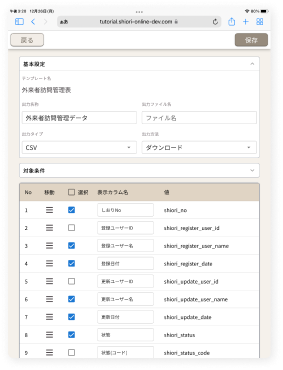
Digitization
Handwritten text can be recognized and output as text data, eliminating duplicate work such as re-entering notes you have already written. It also lets you capture information that previously existed only on paper and was difficult to collect.
FUNCTION05
API Integration
By integrating with external services, you can make full use of your data.
For example, by connecting with your core system (customer management), customer-facing records can be linked to customer data and used for analysis.

Want to Learn More
About SHIORI?

We have prepared materials that give you an overview of SHIORI.
Please take a look.